

Live screens: put two people on one canvas
Turn a screen into a live session and invite your contacts onto it. Everyone sees the same widgets, each other's cursors, and every move, resize and prompt as it lands — and nobody needs a plan to join.
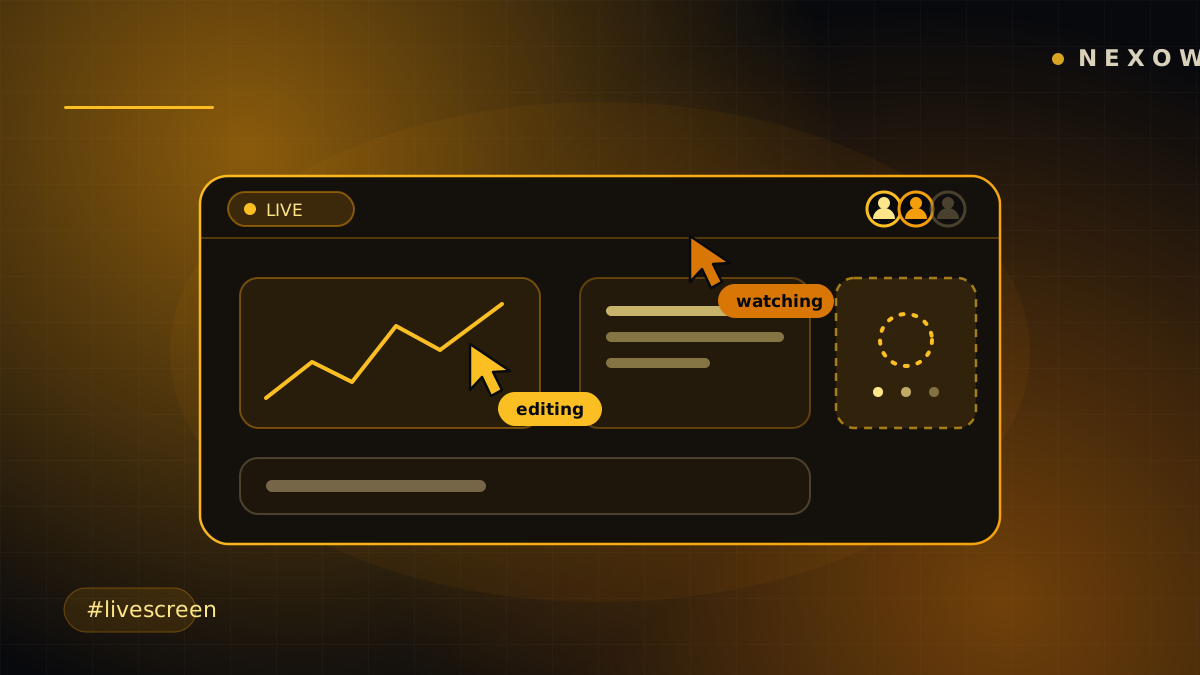
A workspace has always been a private place. You could publish a widget, share a screenshot, hand someone a marketplace listing — but you couldn’t sit next to them in it. Now you can: any screen you own can become a live session, and the people you invite work on it with you, at the same time, on the same canvas.
Invite, don’t publish
From a screen tab: Collaborate live…. Pick people from your contacts — the mutual follows you already have — give each one a role, and go live.
Nothing becomes public. There is no link that works for strangers, no “anyone with the URL” tier, no discovery surface. Only the people you picked can open the screen, and the invite link you copy is useless to anyone else.
Roles are two, and they mean what they say:
- Editor — move, resize, add and prompt widgets.
- Viewer — watch and point. Can’t change anything.
A viewer who wants more can Ask to edit; you get the request and either grant it or don’t. You can change anyone’s role, or remove them, at any point — they’re disconnected right away and the screen leaves their Shared workspace.
What “live” actually looks like
Everyone on the screen sees everyone else’s cursor, moving in real time with their name attached. The screen tab grows an avatar stack, and each avatar carries a state rather than just a dot:
- editing — they just did something that changed the canvas
- watching — they’re looking at this screen
- idle — looking at it, but nothing for a while
- away — in the session, but looking at something else
That last distinction matters more than it sounds. Cursors stop broadcasting the moment a screen isn’t visible, but presence doesn’t — so someone who wandered off to another workspace stays in the roster, dimmed, instead of vanishing and reappearing.
Moves, resizes, new widgets and new builds land for everyone. When a collaborator starts a build, the widget says so — “Ana is building this widget — jump in when they’re done” — because two people prompting the same widget at once both spend credits and only one result can win. The turn is claimed for the length of the build and released after, so nobody’s work is quietly overwritten.
One deliberate absence: undo is off while the screen you’re on is live. Undoing your own move after someone else moved the same box doesn’t describe a state either of you was in. Refusing honestly beats a button that does the wrong thing silently — and undo keeps working normally on your own screens while a different one is live.
Guests bring nothing but themselves
You never need a plan to join. Not a trial, not a reduced mode, not a timer. An invited collaborator opens the screen and works.
Joined screens land in Shared, a workspace pinned at the end of the rail with one tab per session. It behaves like any other workspace, except that it isn’t yours: when you’re done you Leave, and if you want to keep what you built together, Save a copy to my workspace takes the screen home with you.
Prompting is the part that costs real money, so the owner controls it explicitly. Switch on “Let collaborators use my credits” and set a cap for the session: guests can build, their prompts bill your balance, and when the session budget is spent, prompts pause — for them, not for your account. Leave it off and collaborators can still move, resize and rearrange; they just can’t send prompts.
Your connections stay yours
This is the boundary the whole feature is built around: a shared screen shares the screen, never your credentials.
Widgets on a live screen run with the viewer’s own connections. A widget built on your Binance key doesn’t borrow it — for a guest who hasn’t connected Binance it says connection required, exactly as it would anywhere else. Your connections and your secrets are not part of what a session projects, and that isn’t a setting.
If you want a guest to see the data anyway, that’s what a published data feed is for — a read-only, audience-scoped endpoint you opt into per widget, which is a different decision made on purpose.
Sessions outlive the tab
There’s no host device. A live session is its own thing on the server, not a relay running in your browser, so closing your laptop doesn’t kick everyone out and a backgrounded tab doesn’t throttle the session for the rest of the room. Come back, reopen the screen, and you’re in the same session with the same people.
Ending it is one action: End live session. Everyone is disconnected, and the screen and everything on it stays yours — you can start a new session whenever you like.
What it costs
Joining is free forever. Hosting is graded by the thing that actually spends — seats:
- Supporter — up to 3 collaborators at once, on one live screen.
- Sponsor — up to 15 collaborators, and up to 5 of your own screens live at the same time.
Live collaboration is off while privacy mode is on, for the same reason cloud sync is: privacy mode means nothing leaves the device.
Launch Nexow, right-click a screen tab, and invite someone onto your canvas.
Build your first widget in the next minute
Open the preview, describe one useful thing, and place it on your canvas.